Coding With AI on a Laptop Means Choosing Between Fast Soldered Memory and Easy Repairs
Running autonomous CLI coding agents, twenty parallel Docker containers, and air-gapped open-weight LLMs forces sharp trade-offs between high-bandwidth unified memory, discrete NVIDIA CUDA VRAM, socketed SO-DIMM repairability, and native Linux support. This unranked audit compares six mobile workstations on VAT-inclusive European purchase price, memory bandwidth, Linux support and repairability.
Objective Use-Case Guide (Unranked)
You code primarily with cloud-backed agents (Claude Code, Codex CLI, MCP) and 15+ Docker containers
Relevant when inference runs over remote APIs: prioritize 64 GB of socketed DDR5-5600 SO-DIMM RAM and native Linux certification (Lenovo ThinkPad P14s Gen 5 AMD or Framework Laptop 16). Skip if you need usable 32B+ offline local LLM generation.
You execute open-weight coding models locally (Ollama, llama.cpp, MLX) under strict repository NDAs
Relevant when client code cannot touch external clouds: choose 256 to 273 GB/s unified memory, either a MacBook Pro 14 M4 Pro (48 GB, macOS) or an HP ZBook Ultra G1a (Ryzen AI Max+ PRO 395, 64 GB with up to 48 GB GPU VRAM on Linux). Skip if you require user-replaceable RAM modules.
Your pipeline compiles CUDA / TensorRT extensions or runs local LoRA fine-tuning on NVIDIA silicon
Relevant when toolchains mandate NVIDIA libraries: pick a discrete RTX GPU (ASUS ProArt P16 RTX 4070 8 GB at 1.85 kg, or Lenovo Legion Pro 7 RTX 4080 12 GB at 175 W upgraded to 64 GB RAM). Skip if unplugged train endurance outweighs CUDA.
You require screwdriver repairability, open EC firmware, and physical camera/mic kill switches
Relevant for long-term fleet repairability: Framework Laptop 16 (socketed SO-DIMM, mainboard upgrade path to Ryzen AI 300, physical kill switches) and ThinkPad P14s Gen 5 avoid captive soldered-RAM markups. Skip for >14B local inference without an expansion GPU.
| Compared Hardware / Plan | Observed Purchase Price | Power & Autonomy | Subscription | Privacy & GDPR | Offer & Availability |
|---|---|---|---|---|---|
|
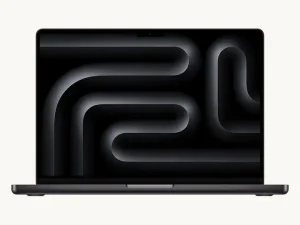
MacBook Pro 14 (M4 Pro · 48 GB · 1 TB)
273 GB/s Unified Memory · macOS POSIX
|
€3,359 incl. VAT Apple France CTO 48 GB / 1 TB; ~€2,999 clearance alongside M5 Pro | 11 to 14 h coding & CLI agents / ~4.5 h sustained local LLM inference | None required (24m EU consumer warranty; 12m B2B corporate warranty without AppleCare+) | 100% offline Apple MLX / llama.cpp execution with no continuous OS screen-snapshot capture; FileVault hardware encryption. | View on Amazon.fr |
|
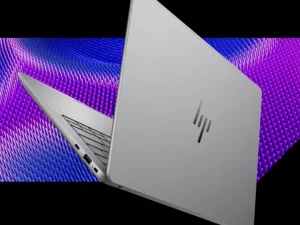
ZBook Ultra G1a 14 (Ryzen AI Max+ PRO 395 · 64 GB)
256 GB/s Unified x86 · Native Linux/Win
|
~€4,290 street incl. VAT SKU E41N6ET 64 GB / 1 TB, 3-year business warranty | 7 to 9.5 h mixed coding / ~2.5 h heavy Radeon 8060S inference | None required (includes 3-year HP business warranty) | Bare-metal Ubuntu/Fedora execution without Docker virtualization overhead; hardware TPM 2.0 & physical webcam shutter. | View on Amazon.fr |
|
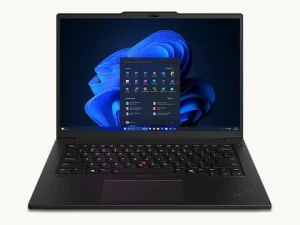
ThinkPad P14s Gen 5 AMD (Ryzen 7 PRO 8840HS · 64 GB)
Certified Linux Docker & Socketed SO-DIMM
|
~€1,890 street incl. VAT 64 GB SO-DIMM / 1 TB; ~€2,099 list | 6.5 to 8.5 h coding, SSH, Docker & cloud CLI agents | None required (3-year Lenovo business warranty by channel) | Official Ubuntu & Red Hat Enterprise Linux certification, LVFS firmware updates, physical camera shutter & native RJ45 Ethernet. | View on Amazon.fr |
|
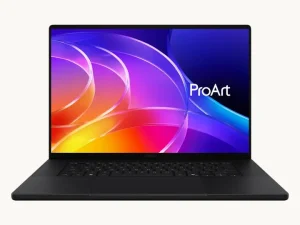
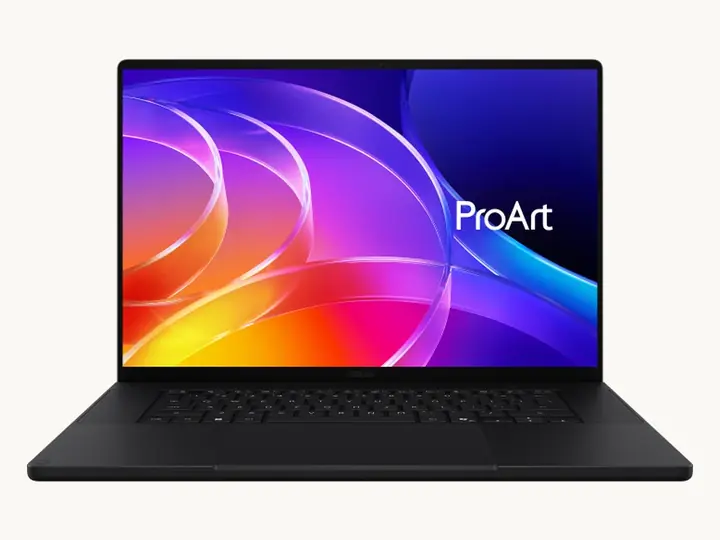
ProArt P16 H7606 (Ryzen AI 9 HX 370 · RTX 4070 · 64 GB)
1.85 kg Chassis & Native CUDA 8 GB
|
~€3,199 street incl. VAT SKU H7606WI 64 GB / 1 TB | 6.5 to 8 h light IDE work / ~1.8 h under RTX 4070 CUDA load | None required (disable Windows Recall in NDA codebases) | Microsoft account required during Windows 11 setup; offline CUDA runs via WSL2 or Linux (kernel >= 6.11 with asusctl / supergfxctl), with Recall snapshots disabled under GDPR Art. 32. | View on Amazon.fr |
|
Framework Laptop 16 DIY Edition (Ryzen 9 7940HS · 64 GB)
Modular Repairable · Open EC Firmware
|
€2,290 incl. VAT official DIY 64 GB SO-DIMM / 1 TB | 6 to 8 h coding without dGPU module / ~5 h heavy compilation | None required (24-month EU statutory warranty) | Physical hardware circuit-disconnect switches for camera and microphone, open-source EC firmware, first-party Fedora & Ubuntu support. | View on official store |
|
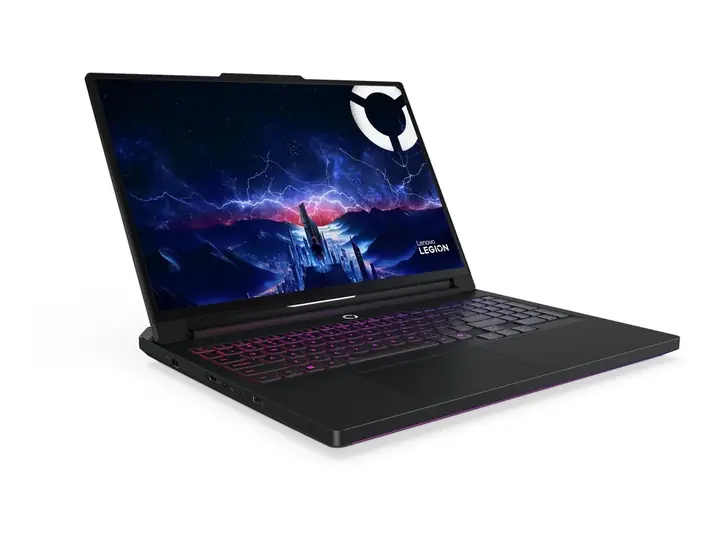
Legion Pro 7 16IRX9H (i9-14900HX · RTX 4080 12 GB · 64 GB)
Sustained 175W CUDA 12 GB Station
|
~€3,279 street incl. VAT ~€3,099 32 GB base + ~€180 64 GB DDR5 SO-DIMM kit | 3 to 4.5 h unplugged / designed primarily for AC desk operation | None required (24-month EU statutory warranty) | Microsoft account required during Windows 11 onboarding; hardware webcam e-shutter and full offline execution under Ubuntu / Pop!_OS or WSL2 with proprietary NVIDIA CUDA drivers. | View on Amazon.fr |
Cloud Coding Tools and Offline Models Demand Different Hardware Choices
AI-assisted engineering pushes mobile workstations into two distinct physical regimes that “AI PC” marketing often blurs together. Running terminal coding agents (Claude Code, Codex CLI, local Model Context Protocol servers) beside fifteen Docker containers primarily stresses total system RAM (32 GB floor, 64 GB recommended) and NVMe bandwidth. Under remote API workflows, 16 to 50 TOPS NPUs sit largely unused. Total memory volume drives daily speed.
Executing an air-gapped 32-billion-parameter model quantized in Q4_K_M (about 20 GB plus KV cache) depends instead on pure memory bandwidth. Public tests from Georgi Gerganov’s llama.cpp, Apple MLX and Michael Larabel at Phoronix show a 256 to 273 GB/s unified bus holding about 10 to 13 tokens/s on 32B weights, whereas dual-channel DDR5-5600 at 89.6 GB/s stalls at 3 to 5 tokens/s. Because U.S. export limits around Nvidia chips squeeze cloud GPU supply, bus width decides local capacity at purchase.

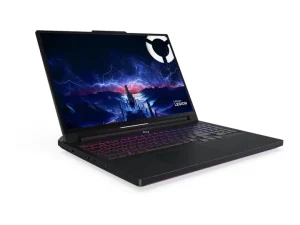
Shared Memory and Dedicated Graphics Cards Force a Trade-Off Between Speed and Fan Noise
Discrete GPU laptops hit hard PCIe memory ceilings. Thin chassis like the ASUS ProArt P16 H7606 RTX 4070 cap VRAM at 8 GB, versus 12 GB at 175 W on the Lenovo Legion Pro 7 16IRX9H. Newer 2025 and 2026 ProArt P16 editions (RTX 5070/5080) and the Legion Pro 7i Gen 10 (RTX 5080) reach 16 GB GDDR7, while Notebookcheck still logs 48 to 52 dB(A) under 175 W CUDA loads. Fan noise stays loud.
Two unified-memory lines clear that VRAM ceiling without loud cooling. On macOS, the MacBook Pro 14 M4 Pro (48 GB at 273 GB/s, joined in March 2026 by the MacBook Pro 14 M5 Pro at 307 GB/s) holds full speed on battery. On bare-metal Linux x86, HP’s ZBook Ultra G1a 14 pairs an AMD Ryzen AI Max+ PRO 395 with 64 GB of 256 GB/s LPDDR5X-8000 memory. Either BIOS VGM or Linux flag ttm.pages_limit allocates up to 48 GB of VRAM, while 96 GB requires the 128 GB SKU.
Soldered Memory and Warranty Rules Shape the Real Purchase Price
Under our unranked European purchase-price methodology, figures track VAT-inclusive EU retail pricing standardized at 64 GB RAM on x86 (48 GB on Apple) and a 1 TB NVMe SSD. Active wall draw tracks the energy split from 50 W on Apple Silicon to 195 W under sustained CUDA compute.
Comparing upgrades reveals how much soldered RAM costs buyers. User-installed 64 GB DDR5-5600 SO-DIMM kits sell for €180 to €220 with VAT for a ThinkPad P14s Gen 5 (or Gen 6 Ryzen AI PRO 300) and Framework Laptop 16 (supporting Ryzen AI 300 mainboards and the RTX 5070 bay module). Apple charges +€460 with VAT merely to jump from 24 GB to 48 GB soldered memory. Socketed slots protect long-term upgrade math.
Legal terms and hardware audits draw an equally sharp line. Consumer buyers in Europe hold a mandatory 24-month conformity warranty (Directive (EU) 2019/771, French Consumer Code Article L. 217-3) alongside France’s statutory repair index (AGEC Law, Article L. 541-9-2, backed by iFixit and LVFS Linux updates). Corporate B2B invoices without AppleCare+ cut standard Apple warranty to 12 months versus 3-year business support on HP ZBook and ThinkPad P fleets. Warranty coverage diverges fast.
Data security closes the hardware audit. Continuous screen-snapshot features such as Windows Recall expose API keys and NDA codebases under GDPR Article 32. Engineering teams increasingly route heavy workloads through European sovereign cloud data centers or Nasdaq-bound U.S. AI laboratories.
That same trade-off between user-replaceable batteries and sealed enclosures shapes six e-readers tested on repairable batteries, store lock-in and true cost against print over years of ownership.
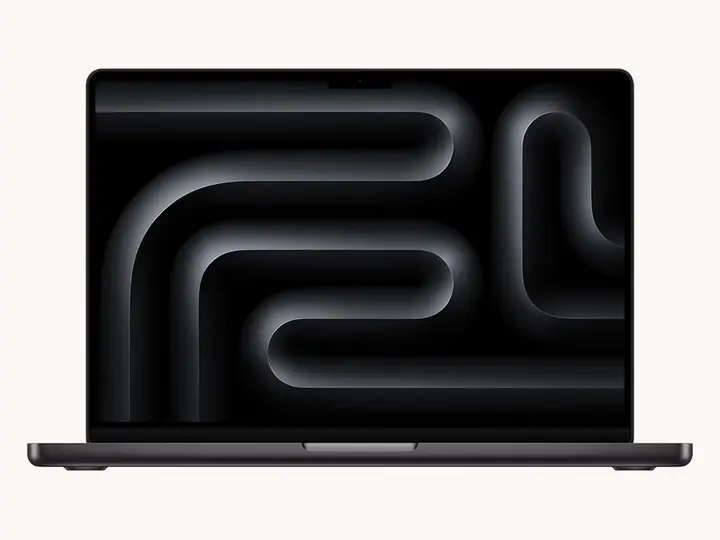
MacBook Pro 14 (M4 Pro · 48 GB · 1 TB)
✓ Verified Objective Advantages
- •273 GB/s unified memory bandwidth sustains about 10 to 14 tokens/s on 32B quantized coding LLMs via MLX and llama.cpp both plugged in and on battery.
- •Quiet fan acoustics and low ~50W active wall draw under combined CPU/GPU workloads.
⚠ Drawbacks & Usage Limitations
- •Soldered RAM and SSD carry a +€460 incl. VAT Apple CTO surcharge for 48 GB, and standard B2B corporate warranty drops to 12 months without AppleCare+.
- •No native NVIDIA CUDA support, and Linux Docker containers execute inside a lightweight virtual machine rather than bare-metal Linux.
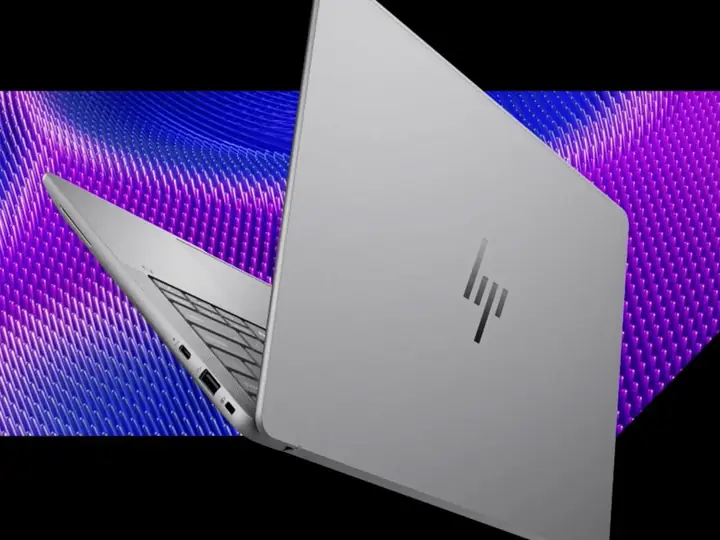
ZBook Ultra G1a 14 (Ryzen AI Max+ PRO 395 · 64 GB)
✓ Verified Objective Advantages
- •256-bit unified x86 bus (256 GB/s) lets up to 48 GB on this 64 GB SKU be assigned as GPU VRAM (via BIOS VGM or Linux ttm.pages_limit) with native Docker.
- •16 Zen 5 cores inside a 1.57 kg chassis backed by a standard 3-year HP professional warranty.
⚠ Drawbacks & Usage Limitations
- •High European VAT-inclusive street price (~€4,290 incl. VAT vs ~€3,575 ex-VAT B2B quotes) and soldered LPDDR5X-8000 RAM (96 GB VRAM requires the costly 128 GB SKU).
- •AMD ROCm / Vulkan Linux software stack still requires occasional kernel parameter tuning documented by Phoronix compared with CUDA or MLX.
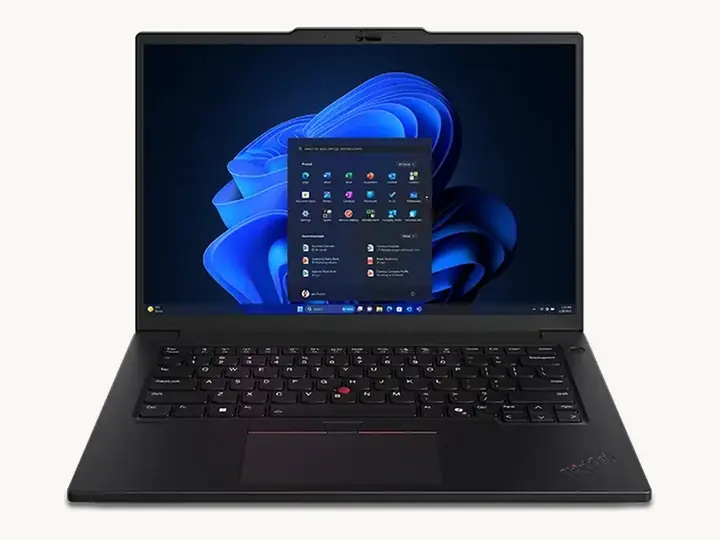
ThinkPad P14s Gen 5 AMD (Ryzen 7 PRO 8840HS · 64 GB)
✓ Verified Objective Advantages
- •Contained purchase price (~€1,890 incl. VAT) with two user-socketed DDR5 SO-DIMM slots absorbing 20+ Docker containers and cloud CLI agents.
- •Spill-resistant 1.5 mm key-travel keyboard, matte anti-glare panel, and native Linux stability (sold alongside the newer P14s Gen 6 AMD with Ryzen AI PRO 300 and 57 Wh battery).
⚠ Drawbacks & Usage Limitations
- •Dual-channel DDR5-5600 bandwidth (89.6 GB/s) limits integrated Radeon 780M graphics to 3 to 5 tokens/s on local 32B models.
- •52.5 Wh battery capacity requires carrying a compact USB-C charger during full-day container compilation workloads.
ProArt P16 H7606 (Ryzen AI 9 HX 370 · RTX 4070 · 64 GB)
✓ Verified Objective Advantages
- •Combines 64 GB system RAM for multi-container agents with genuine NVIDIA CUDA / TensorRT silicon and dual M.2 slots in a 1.85 kg chassis.
- •Priced lower than 2025 and 2026 ProArt P16 H7606 revisions featuring a 2.8K 120 Hz OLED panel and RTX 5070 or RTX 5080 GPUs.
⚠ Drawbacks & Usage Limitations
- •8 GB dedicated GDDR6 VRAM caps pure GPU inference at 7B to 14B quantized models, while this SKU’s glossy 4K OLED panel is capped at 60 Hz.
- •Soldered LPDDR5X RAM plus Linux GPU switching reliant on asusctl / supergfxctl, with documented s2idle ACPI GPIO spurious wakeups on HX 370.
Framework Laptop 16 DIY Edition (Ryzen 9 7940HS · 64 GB)

✓ Verified Objective Advantages
- •10/10 iFixit repairability with screwdriver-swappable mainboard (upgradeable to Ryzen AI 300 HX 370), 2× SO-DIMMs, I/O cards, and Expansion Bay supporting the RTX 5070 module.
- •Physical camera/mic hardware kill switches and open embedded-controller firmware suited for security-audited Linux teams.
⚠ Drawbacks & Usage Limitations
- •Secondary NVMe bay fits only single-sided M.2 2230 drives up to 2 TB (wired at PCIe 4.0 x4 on Ryzen 7040 mainboards and x2 on Ryzen AI 300), alongside a 2.10 kg footprint (2.40 kg with GPU module).
- •89.6 GB/s DDR5-5600 bandwidth restricts fast local inference to 7B to 14B models unless paired with an Expansion Bay GPU.
Legion Pro 7 16IRX9H (i9-14900HX · RTX 4080 12 GB · 64 GB)
✓ Verified Objective Advantages
- •Full 175W RTX 4080 Laptop GPU (12 GB GDDR6) sustains high CUDA token throughput and LoRA fine-tuning, standardized here at 64 GB SO-DIMM RAM with dual M.2 2280 bays.
- •Lower acquisition cost than the newer Legion Pro 7i Gen 10 (Core Ultra 9 275HX + RTX 5080 16 GB GDDR7) whenever 12 GB VRAM fits target workloads.
⚠ Drawbacks & Usage Limitations
- •Heavy travel mass (2.62 kg chassis + ~1 kg 330W power brick) and 3 to 4.5 hour unplugged battery life make rail work impractical.
- •48 to 52 dB(A) fan noise measured by Notebookcheck under sustained 175W CUDA loads, and roughly 4× the active wall power draw (~195 W avg) of an M4 Pro MacBook.
Frequently Asked Technical Questions
Does a “50 TOPS NPU / Copilot+ PC” badge speed up Ollama or llama.cpp on 32B coding models?
How much faster is unified memory than socketed DDR5 SO-DIMM for local LLM generation?
How are 64 GB configurations priced at purchase, and how do EU consumer vs. B2B warranties differ?
Transparency, Editorial Independence & Funding Disclosure
Transparency, Editorial Independence & Funding Disclosure: In accordance with our charter, SansBiais publishes no rankings or subjective scores, systematically providing an objective synthesis of the advantages and drawbacks of every compared product. Readers should consider all purchase links in the comparison section as affiliate links used to help fund our server infrastructure, IT security, and editorial staff, at no extra cost to you. As an Amazon Associate, SansBiais earns from qualifying purchases.